Photographing Your Pet Dos and Don’ts
A portrait can only be as detailed and accurate as the images you provide. If an artist is local they may take their own photos but if you are taking the photos:
Do: Get your pet on a level with the camera, sat on a chair or wall. Why: So the face and gaze will be level from the portrait when on a shelf or wall.
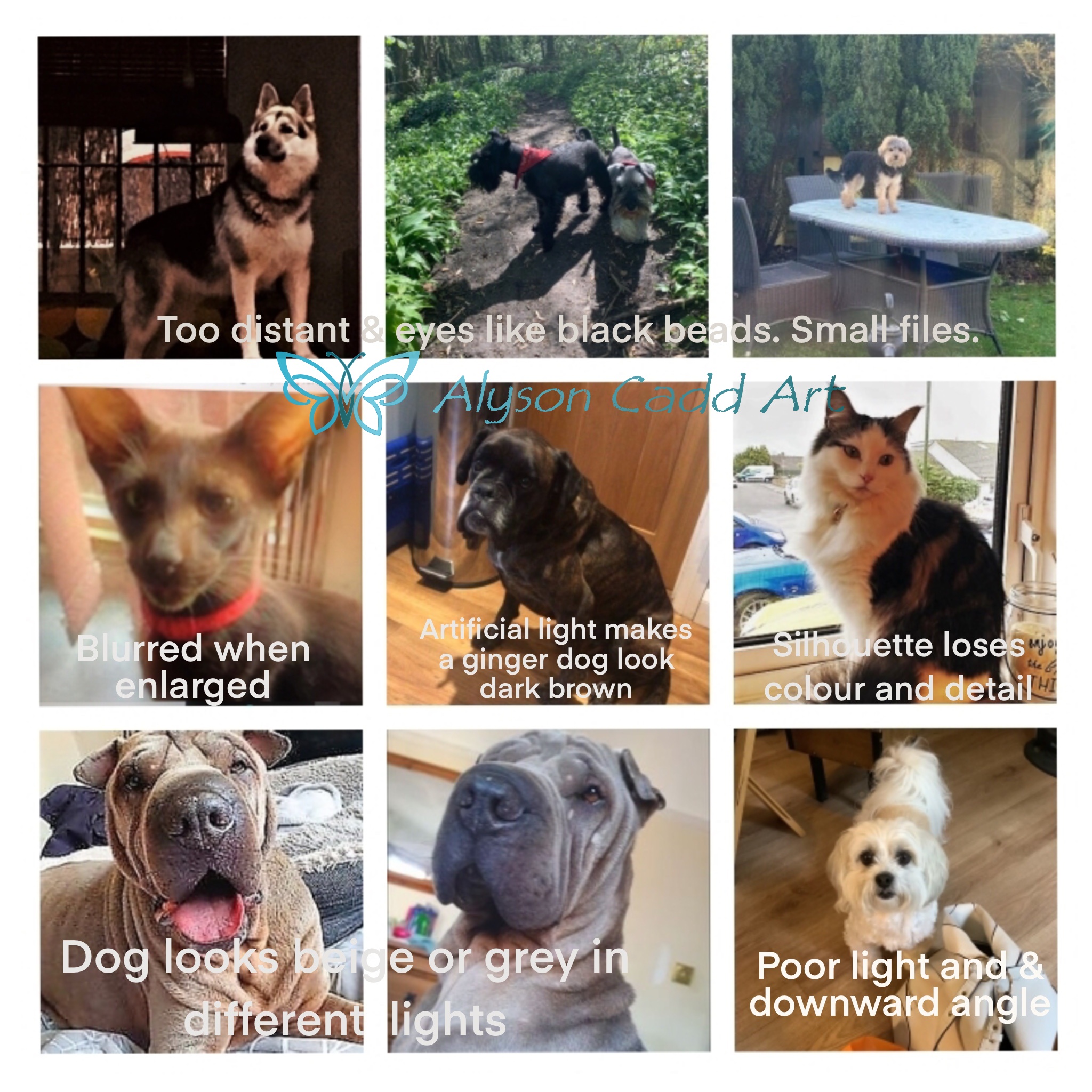
Don’t: Don't take a photo looking down at your pet on the floor. Why: They will be forever looking up at the ceiling in a portrait hung on a wall! Although some people like the quirky ‘all nose and eyes’ look.
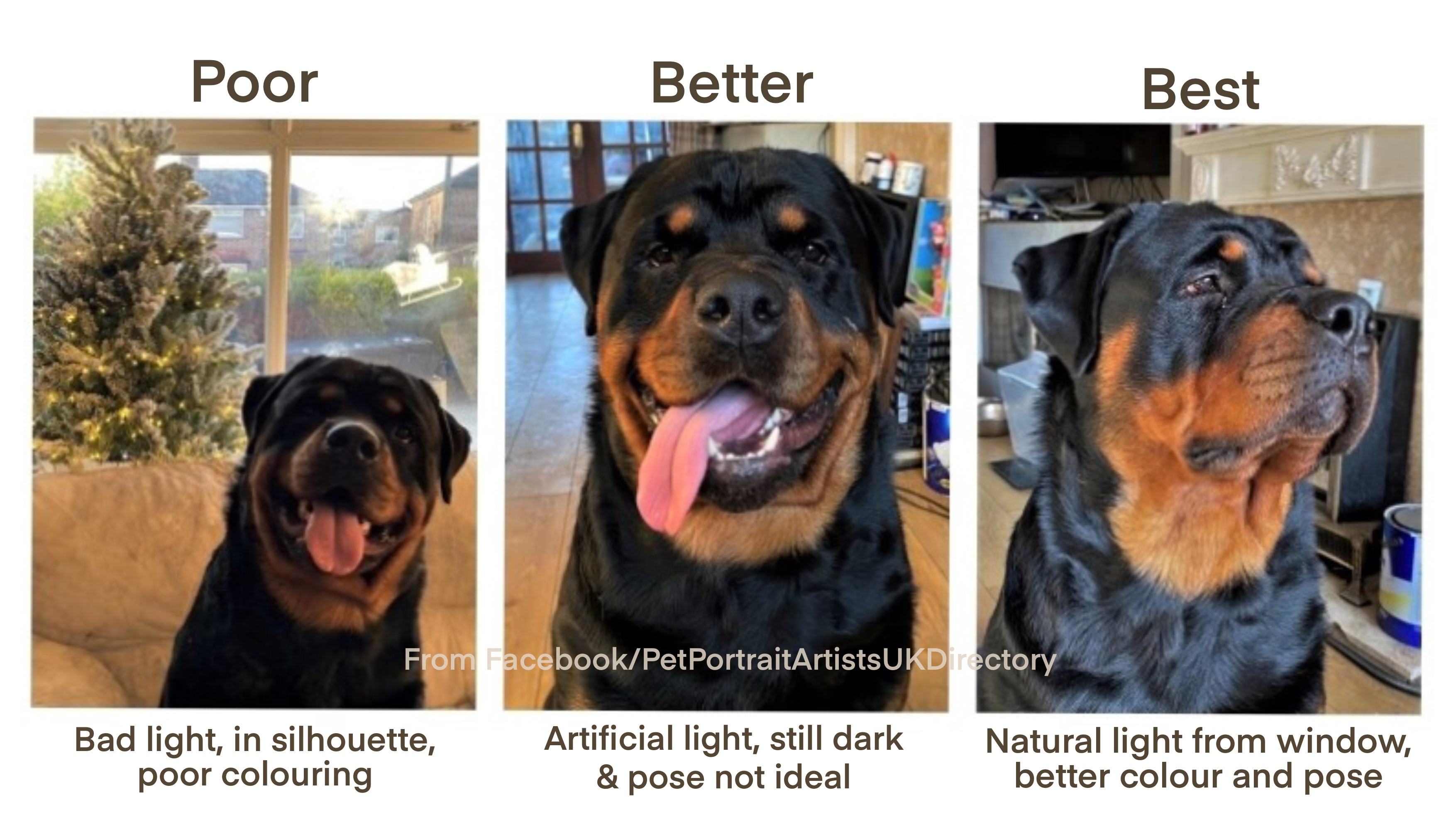
Do: Consider the pose – 3 quarters profile is good, looking at or just past the camera. Use a second person to get the attention of the pet with a treat or toy over your shoulder. Why: To show the best side ‘typical’ view of your pet, without averted eyes or odd angles, panting or toys in their mouth (unless that is the look you want).
Do: Go outside, or near a north facing window or open back door for natural light. Why: Indoor/bulb light can completely change, yellow or dull the fur and eye tones.
Do: Avoid direct strong sunlight. Why: Bright sun can bleach out fur and eye tones, create glare on glossy coats and make an animal squint or their pupils contract.
Do: Avoid images that have your pet in a window or silhouetted against a light source. Why: Details and shading will be lost and eyes become dark hollows.
Do: Include at least one image that is a well lit close up of the face and eyes, showing the eye colour well. Why: The eyes and eye colour are so important as most owners spend a lot of time communicating with their pet via eye contact.
Do: Send a selection of photos and poses. Why: So the artist can see and or combine poses and see the character of the pet. If the colour of fur is very different explain why and confirm which is most accurate.
Do: Specify if a collar or toy is to be included and show it well.
Do: Use images that are yours, or that you have permission to use.
Most importantly - send the images as large or full sized files to the artist. This is crucial as the artist will want to enlarge the image or zoom in on details – that just makes the image blur or become ‘pixilated’ if it is a small file. Your phone will try and default to send small images but look at the send menu for Large or Full size options.
Thanks to Natalie Snowden for the 3 demo images of her pooch below.